Managing Roles
Flexibility in role management helps you maintain optimal access control as your team evolves and changes.
User roles define the permissions and access levels for individuals in your Metarelic account. Changing roles allows you to adapt to shifting responsibilities and organisational needs.
How to Create a Role
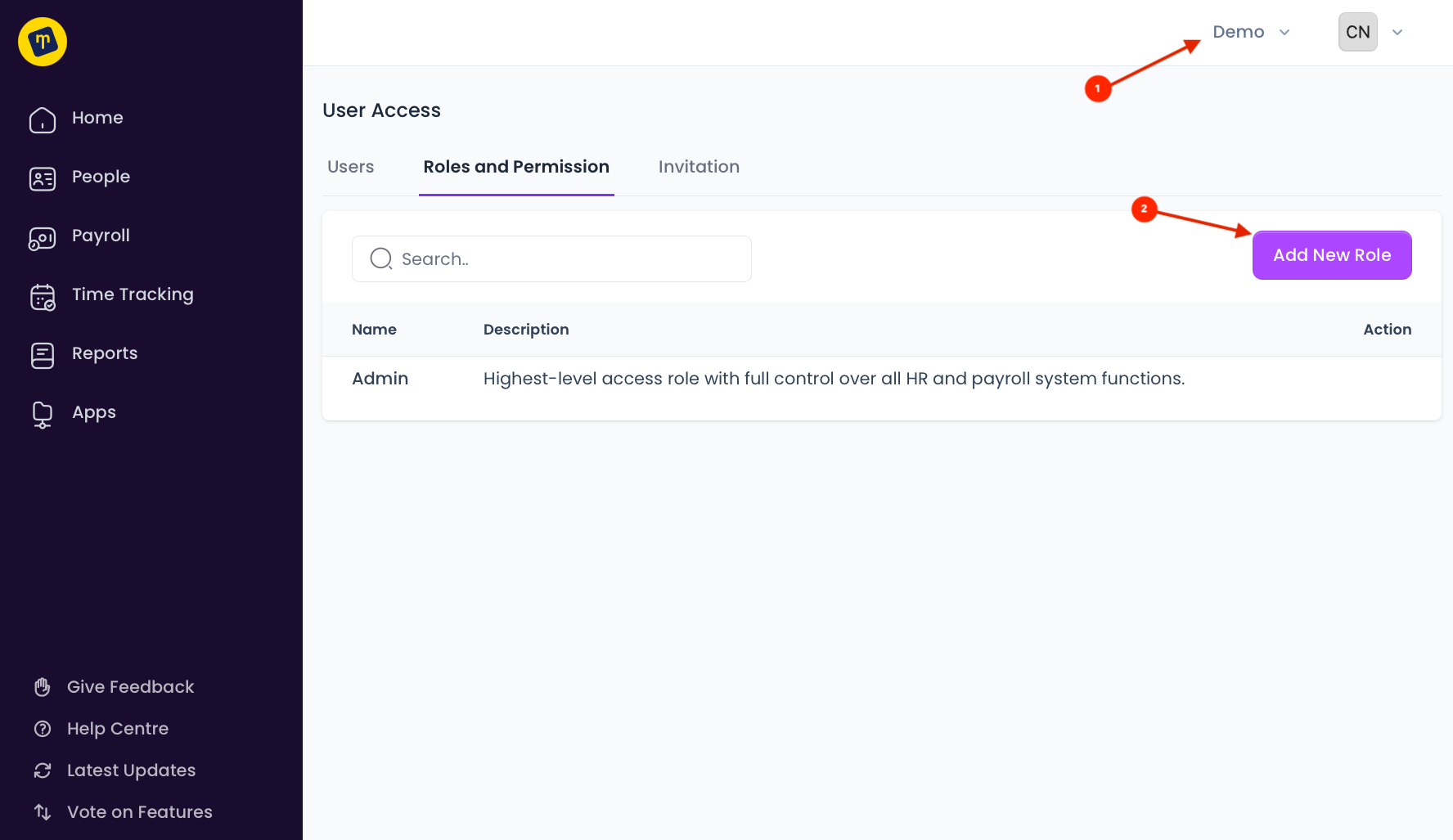
To create a role:
Go to Users and Roles > Roles and Permissions under your account name (business name) on the top right of the screen
Click on Add New Role
Enter a name and description
Click on Add on the bottom right of the modal
How to Change Role Permissions
To change permissions:
Go to the Role
Click on Change Permissions
Each permission is grouped by modules. You can toggle on or off modules. Then, toggle on or off permissions within the modules.
Click Save
How to Change a User’s Role
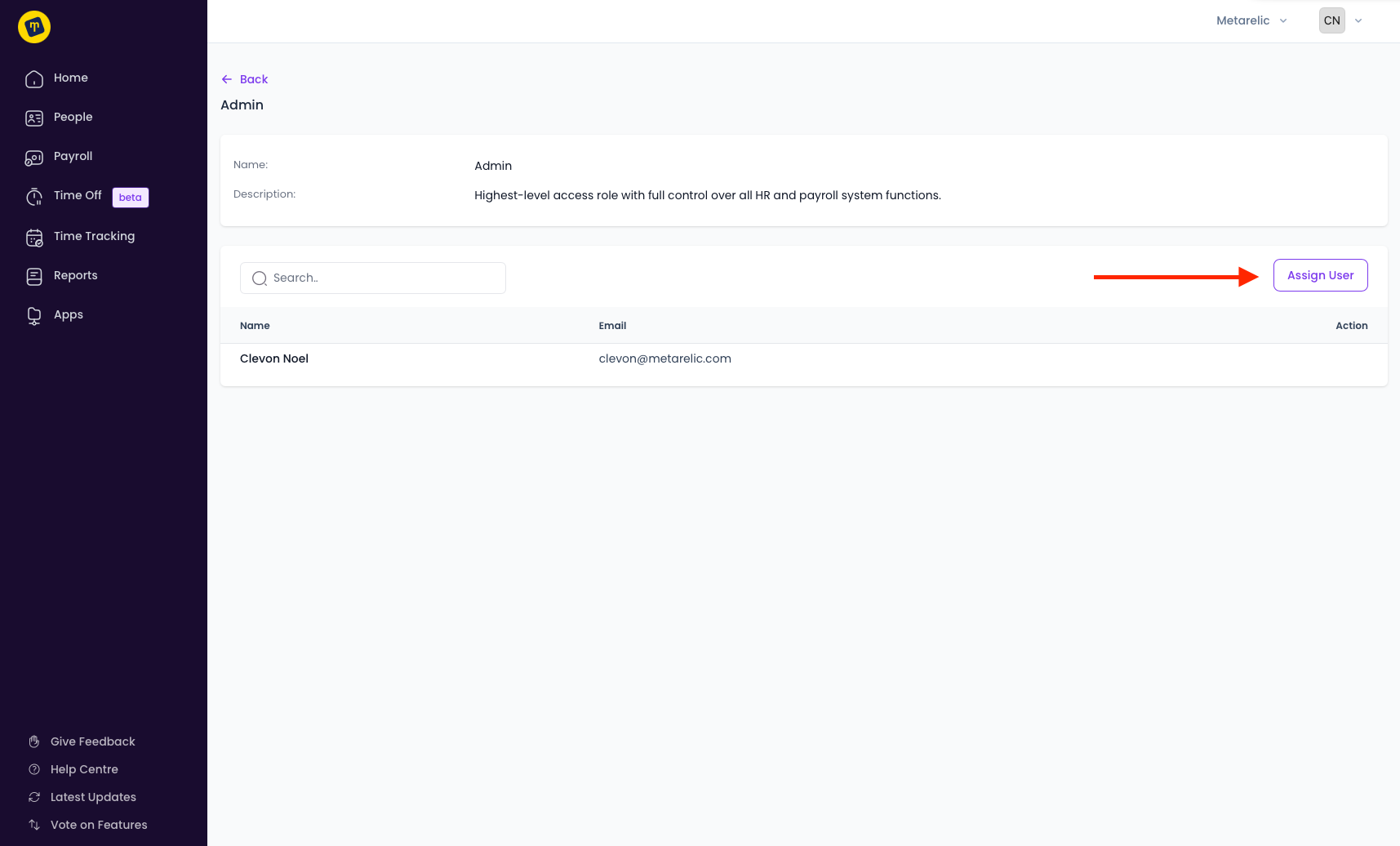
To change a user’s role:
Go to the role
Click on Assign User
You can choose to remove user or add a users
Click Save